Gaming setup with rgb lights
1344×768 · AVIF · CC BY 4.0
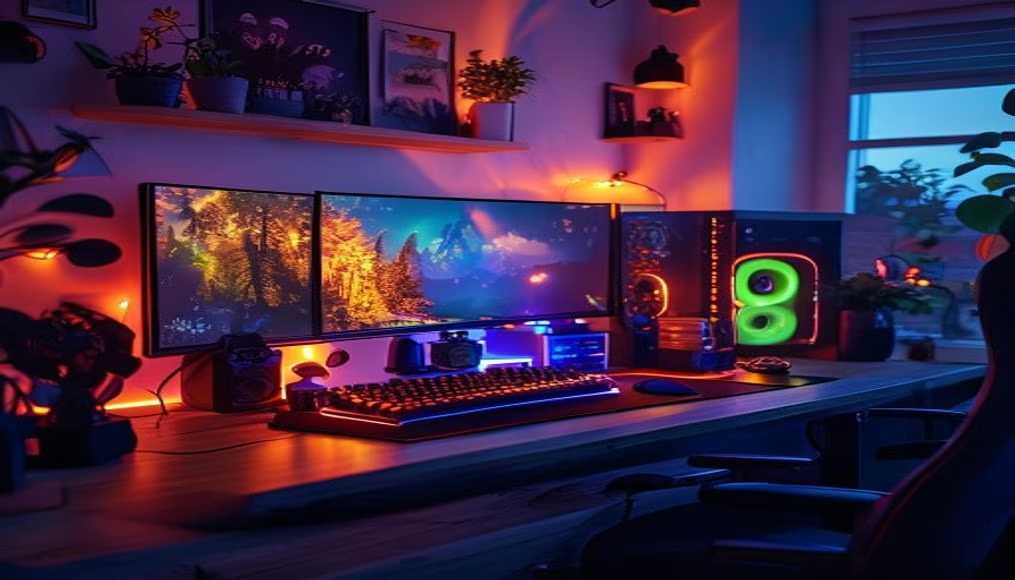
Gaming setups with RGB lighting have become a symbol of modern gaming culture, combining technical performance with visual customization.
About this subject
Gaming setups equipped with RGB lighting represent more than an aesthetic trend: they are an extension of the player's identity. Customizing colors and light effects allows each user to create a unique environment, synchronized with peripherals, internal components, and even furniture. This practice gained momentum in the 2010s, when manufacturers like Razer, Corsair, and Logitech introduced programmable LEDs in keyboards, mice, and headsets.
The technological evolution behind RGB is remarkable. Each addressable LED can be controlled individually, enabling complex animations and real-time reactions to in-game events, such as damage taken or kills. Software like ASUS Aura Sync, Corsair iCUE, and MSI Mystic Light integrates different components from various brands, creating a harmonious ecosystem. Additionally, lighting can serve practical functions, such as CPU temperature alerts or application notifications.
Culturally, RGB has transcended hardware. Streamers and YouTubers use colorful setups to attract audiences and reinforce their personal brand. E-sports championships often feature illuminated desks, and the PC modding community explores endless color combinations and patterns. Despite criticism about visual excess, RGB has established itself as an almost mandatory element in the gaming market, with options for all budgets and tastes.
Frequently Asked Questions
What is RGB and how does it work in gaming peripherals?
RGB stands for Red, Green, Blue, referring to the three color channels that combine to generate millions of colors. In gaming peripherals, RGB LEDs are controlled via software to display custom colors and effects, and can be synchronized across devices.
What are the main brands of RGB gaming hardware?
Leading brands include Razer (Chroma), Corsair (iCUE), Logitech (G Hub), ASUS (Aura Sync), MSI (Mystic Light), and Gigabyte (RGB Fusion). Each has its own software ecosystem and compatibility.
Does RGB lighting improve gaming performance?
Directly, RGB lighting does not enhance technical performance, but it can aid immersion and provide visual feedback during gameplay, as well as create a more comfortable environment for long sessions.
Direct URL
https://pub-c7d6a6ea828543ac903a74a341ccb2e1.r2.dev/imagens/gaming-setup-with-rgb-lights-travel-photography-v10.avifHow to credit
Include a visible link back to UtilizAí. Copy one of the snippets below:
<a href="https://xn--utiliza-eza.com/en/midia/imagens/gaming-setup-with-rgb-lights-travel-photography-v10">Gaming setup with rgb lights</a> by <a href="https://xn--utiliza-eza.com">UtilizAí</a>, licensed under <a href="https://creativecommons.org/licenses/by/4.0/">CC BY 4.0</a>.
[Gaming setup with rgb lights](https://xn--utiliza-eza.com/en/midia/imagens/gaming-setup-with-rgb-lights-travel-photography-v10) by [UtilizAí](https://xn--utiliza-eza.com), CC BY 4.0
License: CC-BY-4.0