Metamask wallet interface on smartphone screen with token list
1344×768 · AVIF · CC BY 4.0
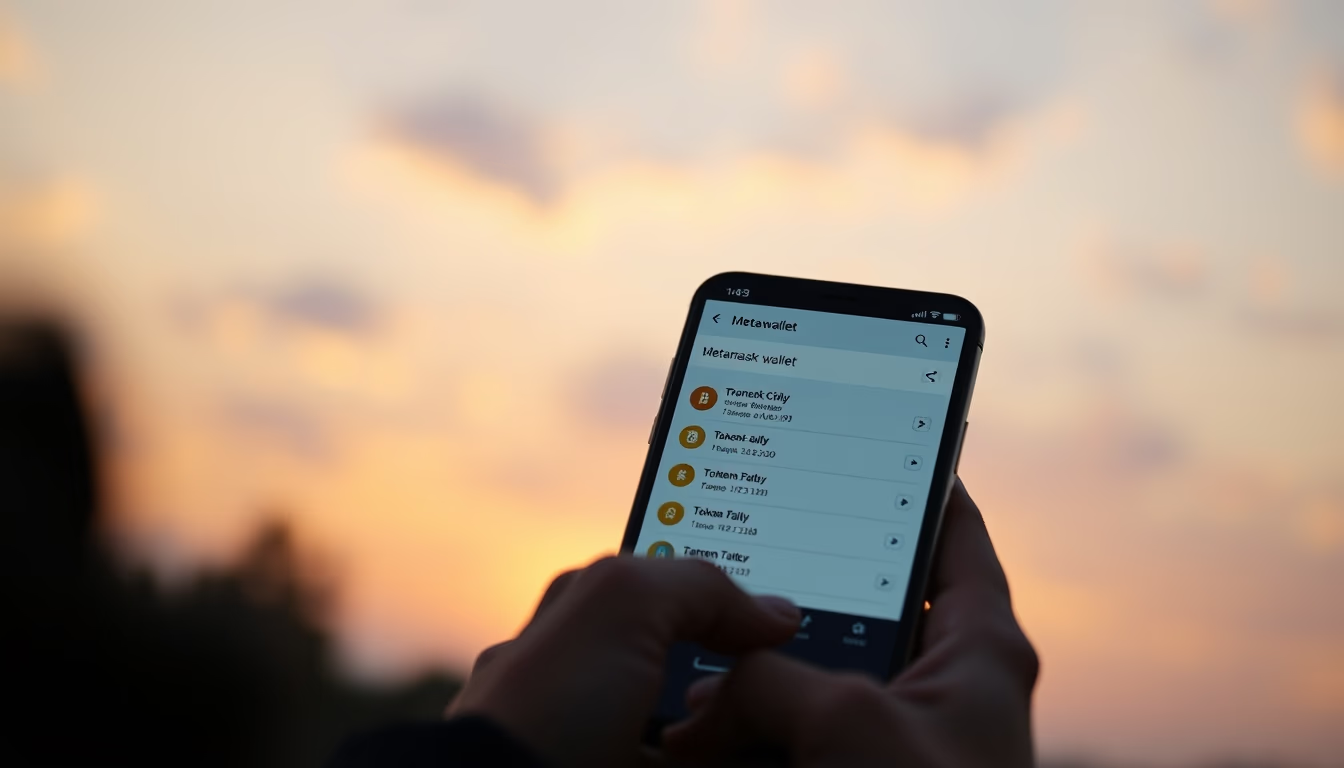
The MetaMask interface on a smartphone displays the user's token list, showing balances and digital assets managed by this decentralized wallet.
About this subject
MetaMask is one of the most popular wallets for interacting with the Web3 ecosystem, functioning as a browser extension and mobile app. Launched in 2016 by ConsenSys, it has become the gateway for millions of users to access decentralized applications (dApps) on the Ethereum network and other EVM-compatible blockchains such as Binance Smart Chain, Polygon, and Avalanche.
On a smartphone screen, the MetaMask interface displays the user's token list, including ETH, stablecoins like USDC and DAI, and tokens from specific projects. Each token shows its real-time balance, allowing users to quickly view their portfolio. The wallet manages private keys locally on the device, ensuring users retain control of their assets without relying on centralized intermediaries.
A key feature of MetaMask is its support for multiple networks. Users can switch between different blockchains directly within the app, accessing native tokens from each network. Additionally, the wallet integrates a dApp browser that enables interaction with decentralized exchanges (DEXs), lending platforms, and blockchain games. Security is reinforced by passwords, 12 or 24-word seed phrases, and biometric authentication on compatible devices.
MetaMask's popularity reflects the growth of Web3: in 2023, the wallet surpassed 30 million monthly active users. Its clean and functional interface, as depicted in the image, is designed to be accessible to both beginners and advanced users, democratizing access to the crypto universe.
Frequently Asked Questions
How do I add a custom token in MetaMask?
In the MetaMask interface, go to the 'Tokens' tab and click 'Import tokens'. Paste the token contract address, which can be found on sites like Etherscan. The name and symbol are auto-filled. Confirm and the token will appear in the list.
Is MetaMask safe for storing cryptocurrencies?
Yes, as long as the user protects their seed phrase and password. MetaMask stores private keys locally on the device, not on servers. It is recommended to use biometric authentication and keep offline backups.
Can I use MetaMask on multiple blockchains?
Yes, MetaMask supports multiple EVM networks. In the network menu, you can add custom networks like Binance Smart Chain or Polygon and switch between them to manage tokens from different blockchains.
Direct URL
https://pub-c7d6a6ea828543ac903a74a341ccb2e1.r2.dev/imagens/metamask-wallet-interface-on-smartphone-screen-with-token-list-cinematic-wide-shot-golden-hour-late-afternoon.avifHow to credit
Include a visible link back to UtilizAí. Copy one of the snippets below:
<a href="https://xn--utiliza-eza.com/en/midia/imagens/metamask-wallet-interface-on-smartphone-screen-with-token-list-cinematic-wide-shot-golden-hour-late-afternoon">Metamask wallet interface on smartphone screen with token list</a> by <a href="https://xn--utiliza-eza.com">UtilizAí</a>, licensed under <a href="https://creativecommons.org/licenses/by/4.0/">CC BY 4.0</a>.
[Metamask wallet interface on smartphone screen with token list](https://xn--utiliza-eza.com/en/midia/imagens/metamask-wallet-interface-on-smartphone-screen-with-token-list-cinematic-wide-shot-golden-hour-late-afternoon) by [UtilizAí](https://xn--utiliza-eza.com), CC BY 4.0
License: CC-BY-4.0
Tags
Related images
 Decentralized app dashboard showing yield farming positions
 Decentralized app dashboard showing yield farming positions
 Decentralized app dashboard showing yield farming positions
 Decentralized app dashboard showing yield farming positions
 Decentralized app dashboard showing yield farming positions
 Decentralized app dashboard showing yield farming positions