Crypto exchange UI on smartphone showing trading pair
1344×768 · AVIF · CC BY 4.0
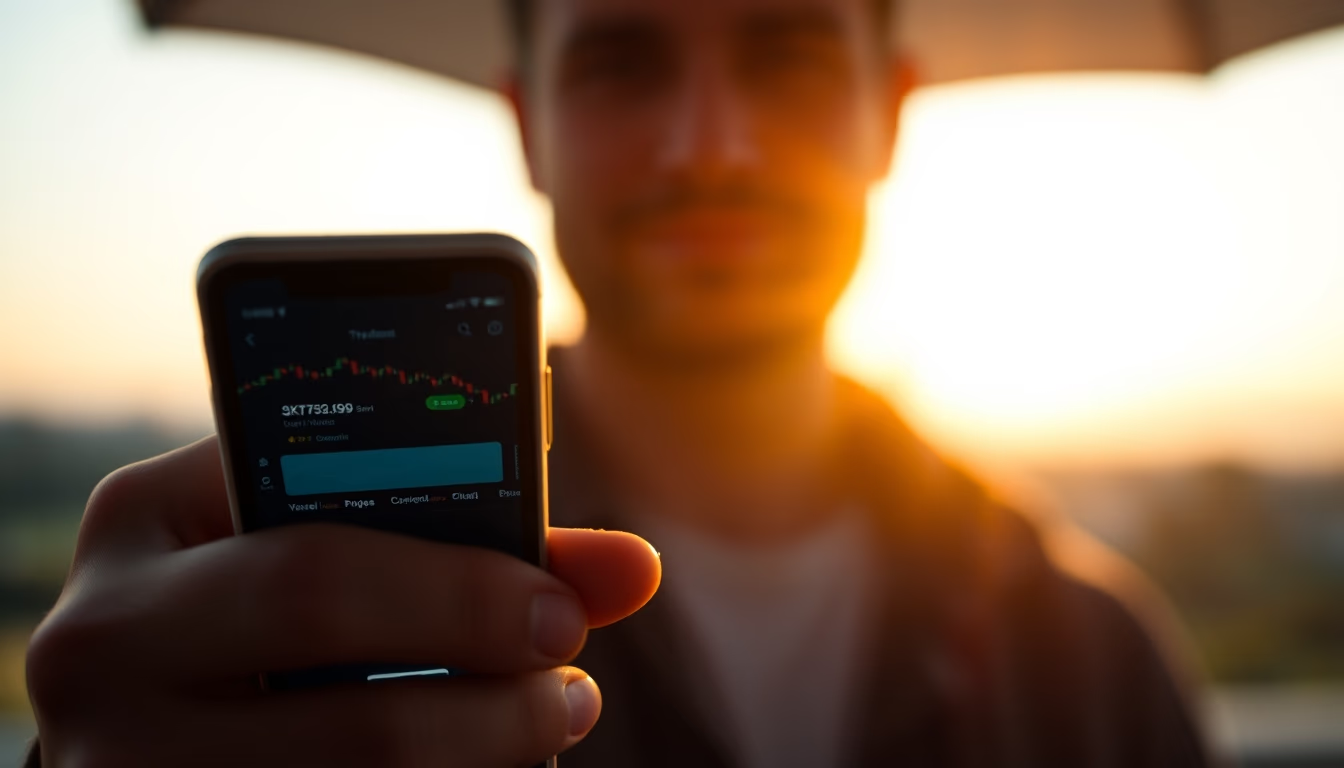
Cryptocurrency exchange interface on a smartphone displays a trading pair with candlestick chart and buy order.
About this subject
The cryptocurrency exchange interface on a smartphone displays a trading pair, such as BTC/USDT, with real-time data. The candlestick chart shows price movement over a period, with green candles indicating gains and red candles indicating losses. Below, a buy order is being entered, with fields for quantity and price. The twilight lighting in the background suggests the user is trading in the early evening, a common time for traders following 24/7 global markets.
Apps like Binance, Coinbase, and Kraken offer similar interfaces, focusing on usability and speed. The smartphone's compact screen requires responsive design, with large buttons and simplified information. The trading pair function is essential for speculation and hedging, allowing the user to exchange one cryptocurrency for another directly.
In Brazil, exchanges like Mercado Bitcoin and Foxbit also offer pairs with the Brazilian real (BRL), such as BTC/BRL. The popularity of mobile trading has grown with the democratization of crypto investments. According to 2023 data, over 60% of trades on decentralized exchanges occur via mobile devices.
Security is critical: two-factor authentication (2FA) and biometrics are common. The interface shown likely includes a "buy" and "sell" button, along with volatility indicators. The cryptocurrency market is known for its high volatility, with 5% to 10% swings in minutes, requiring constant trader attention.
Frequently Asked Questions
What is a trading pair in cryptocurrencies?
A trading pair is the combination of two cryptocurrencies that can be exchanged on an exchange, such as BTC/USDT. The price of the first is quoted in terms of the second.
Why is the candlestick chart important for traders?
The candlestick chart shows the open, close, high, and low price over a period. It helps identify trends and patterns, being essential for technical analysis.
How to ensure security when trading on a smartphone?
Use two-factor authentication (2FA), biometrics, and download apps only from official stores. Avoid public Wi-Fi networks and keep the system updated.
Direct URL
https://pub-c7d6a6ea828543ac903a74a341ccb2e1.r2.dev/imagens/crypto-exchange-ui-on-smartphone-showing-trading-pair-closeup-twilight-4.avifHow to credit
Include a visible link back to UtilizAí. Copy one of the snippets below:
<a href="https://xn--utiliza-eza.com/en/midia/imagens/crypto-exchange-ui-on-smartphone-showing-trading-pair-closeup-twilight-4">Crypto exchange UI on smartphone showing trading pair</a> by <a href="https://xn--utiliza-eza.com">UtilizAí</a>, licensed under <a href="https://creativecommons.org/licenses/by/4.0/">CC BY 4.0</a>.
[Crypto exchange UI on smartphone showing trading pair](https://xn--utiliza-eza.com/en/midia/imagens/crypto-exchange-ui-on-smartphone-showing-trading-pair-closeup-twilight-4) by [UtilizAí](https://xn--utiliza-eza.com), CC BY 4.0
License: CC-BY-4.0