Wifi router modern
1344×768 · AVIF · CC BY 4.0

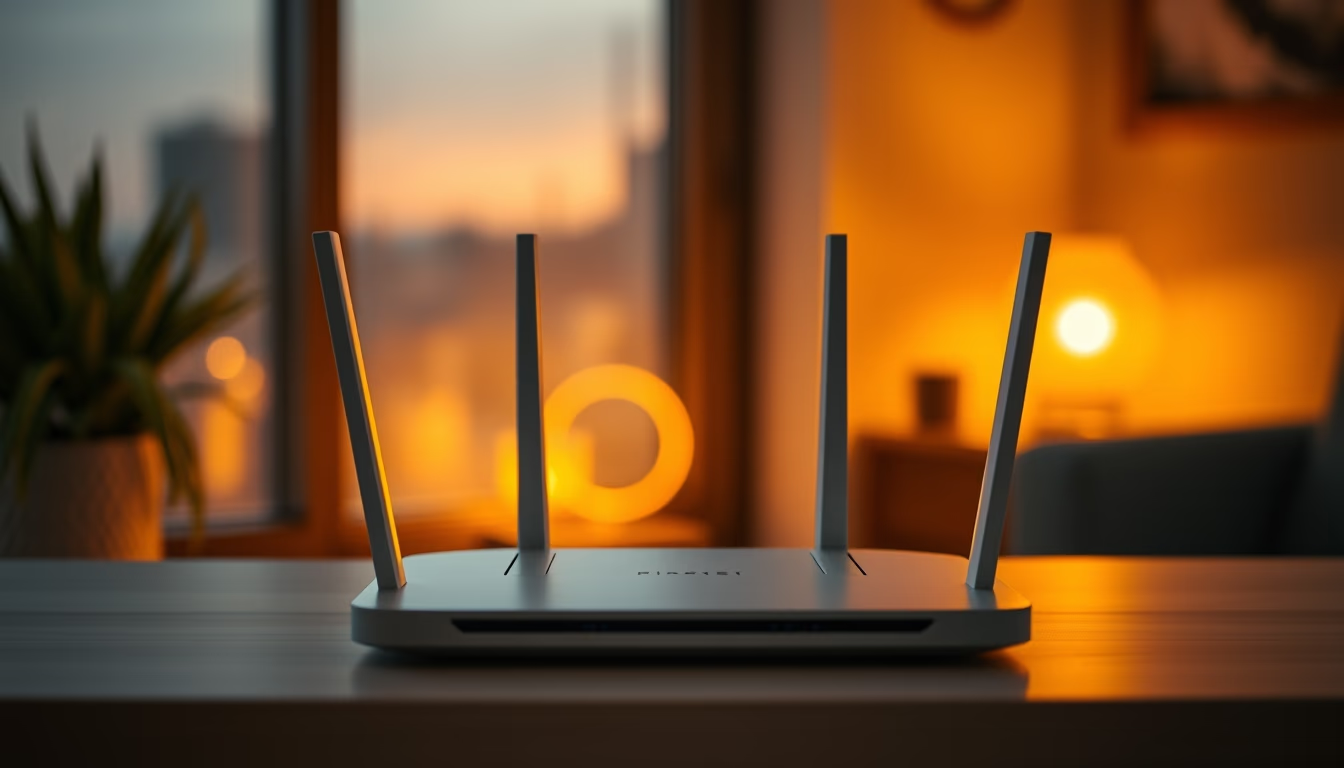
Modern Wi-Fi router essential for home office and remote work, featuring cutting-edge technology and sleek design.
About this subject
The modern Wi-Fi router is the heart of connectivity in remote work and home office environments. Equipped with standards like Wi-Fi 6 (802.11ax) or Wi-Fi 6E, it delivers ultra-fast speeds, low latency, and the ability to connect dozens of devices simultaneously, a common requirement in households with multiple professionals and gadgets. MU-MIMO and beamforming technology direct signals to active devices, reducing interference and ensuring stability during video conferences and large file transfers.
In Brazil, the rise of remote work accelerated demand for high-performance routers. Data from Anatel shows that fixed internet connections surpassed 40 million in 2023, with significant growth in fiber optic plans. Modern routers often feature mesh networking, systems that eliminate dead zones using multiple units spread throughout the home, ideal for apartments and houses with thick walls.
Router design has also evolved: many models abandon traditional external antennas for minimalist, sculptural forms that blend into decor, which explains the "high-fashion editorial" tag. Brands like TP-Link, Asus, Netgear, and Xiaomi compete with options combining technical performance and aesthetics, including neutral-tone casings or customizable RGB lighting.
For remote professionals, security is a priority: modern routers offer built-in firewalls, native VPNs (WireGuard, OpenVPN), and automatic firmware updates to protect against vulnerabilities. Mobile app setup simplifies management, allowing users to prioritize meeting traffic or disable guest networks with a few taps.
Frequently Asked Questions
What is the difference between Wi-Fi 5 and Wi-Fi 6?
Wi-Fi 6 offers higher speeds (up to 9.6 Gbps), lower latency, and better efficiency in environments with many devices. It also supports technologies like OFDMA and MU-MIMO, which reduce congestion.
Do I need a mesh router for home office?
It depends on the size of the home and the number of usage points. A mesh router is recommended for large homes or those with obstacles (concrete walls) to ensure uniform coverage without signal drops.
How can I improve my router's security at home?
Regularly update firmware, change the default admin password, disable WPS, and enable WPA3 encryption if available. Use a VPN for sensitive connections and set up a separate guest network.
Direct URL
https://pub-c7d6a6ea828543ac903a74a341ccb2e1.r2.dev/imagens/wifi-router-modern-high-fashion-editorial-p0.avifHow to credit
Include a visible link back to UtilizAí. Copy one of the snippets below:
<a href="https://xn--utiliza-eza.com/en/midia/imagens/wifi-router-modern-high-fashion-editorial-p0">Wifi router modern</a> by <a href="https://xn--utiliza-eza.com">UtilizAí</a>, licensed under <a href="https://creativecommons.org/licenses/by/4.0/">CC BY 4.0</a>.
[Wifi router modern](https://xn--utiliza-eza.com/en/midia/imagens/wifi-router-modern-high-fashion-editorial-p0) by [UtilizAí](https://xn--utiliza-eza.com), CC BY 4.0
License: CC-BY-4.0