Controller closeup macro
1344×768 · AVIF · CC BY 4.0
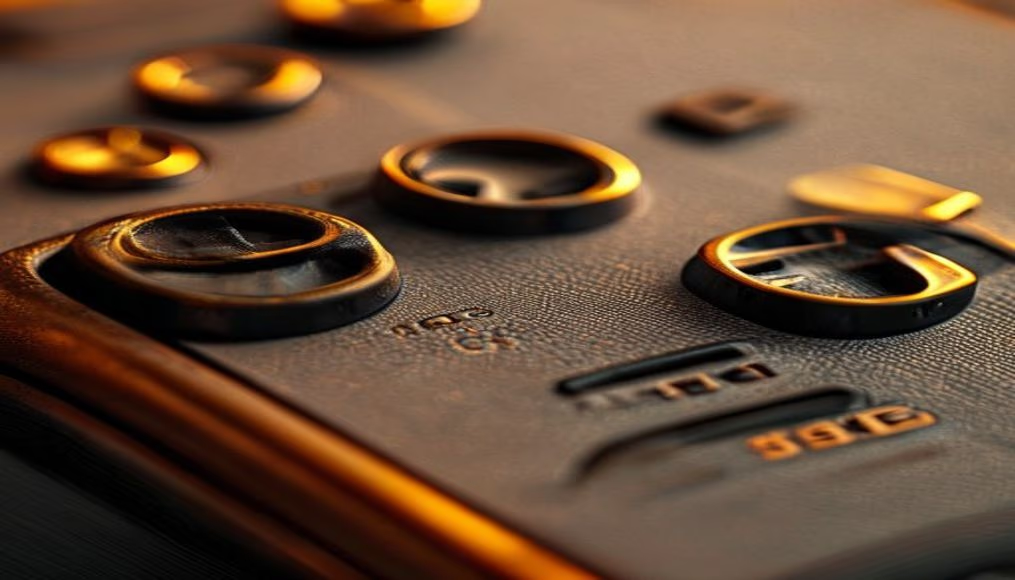
Macro fotográfica revela detalhes do design de um controle de videogame, explorando texturas e engenharia.
Sobre o tema
Um controle de videogame é a interface principal entre o jogador e o mundo virtual, combinando ergonomia, engenharia de precisão e design icônico. Desde o joystick do Atari 2600 até os modernos DualSense do PlayStation 5 e Xbox Wireless Controller, a evolução reflete décadas de pesquisa em usabilidade e conforto. A macrofotografia permite apreciar cada detalhe: os sulcos antiderrapantes nas alavancas analógicas, a textura fosca do plástico ABS, os microinterruptores sob os botões e a trama do cabo (se com fio). Esses elementos não são apenas estéticos; a disposição dos botões, como o layout assimétrico da Xbox ou o simétrico da PlayStation, responde a diferentes filosofias de controle.
Em termos de materiais, os controles modernos usam plástico reforçado com fibra de vidro para leveza e resistência, borracha termoplástica nos grips para aderência e metais como latão nos gatilhos para durabilidade. A introdução de feedback tátil, como nos motores de vibração e nos gatilhos adaptáveis do DualSense, adiciona camadas de imersão que vão além do visual. A macro revela também a complexidade das superfícies: o desgaste natural do uso, pequenas marcas de fabricação como linhas de injeção e a precisão dos recortes para os LEDs.
Curiosamente, o controle do Nintendo Wii U (GamePad) introduziu uma tela sensível ao toque, enquanto o Steam Controller tentou unificar trackpad e botões. Cada detalhe, visível em macro, conta uma história de testes de qualidade e inovação. Para entusiastas, fotografar controles em macro é uma forma de documentar a cultura dos videogames, destacando o objeto que mais tempo passamos segurando durante o jogo.
Perguntas frequentes
Por que alguns controles têm designs assimétricos e outros simétricos?
O layout assimétrico (Xbox) prioriza o conforto natural das mãos, enquanto o simétrico (PlayStation) foi padronizado desde o primeiro DualShock para facilitar a adaptação entre jogos.
Qual a importância do material do cabo em controles com fio?
O revestimento trançado ou emborrachado protege contra dobras e rompimentos, além de reduzir o emaranhamento. Controladores modernos frequentemente usam cabos de 3 metros com filtros de ferrite para evitar interferência.
Como a macrofotografia pode ajudar na identificação de desgaste em controles?
A macro revela microfissuras nos botões, desbotamento dos símbolos e acúmulo de sujeira nos cantos, ajudando a decidir quando substituir ou limpar o controle.
URL direta
https://pub-c7d6a6ea828543ac903a74a341ccb2e1.r2.dev/imagens/controller-closeup-macro-travel-photography-v10.avifComo creditar
Inclua um link visível de volta pro UtilizAí. Copie um dos snippets abaixo:
<a href="https://xn--utiliza-eza.com/midia/imagens/controller-closeup-macro-travel-photography-v10">Controller closeup macro</a> by <a href="https://xn--utiliza-eza.com">UtilizAí</a>, licensed under <a href="https://creativecommons.org/licenses/by/4.0/">CC BY 4.0</a>.
[Controller closeup macro](https://xn--utiliza-eza.com/midia/imagens/controller-closeup-macro-travel-photography-v10) by [UtilizAí](https://xn--utiliza-eza.com), CC BY 4.0
Licença: CC-BY-4.0